Choosing Gaming Desk Monitor Supports
Choose a gaming desk monitor support by treating compatibility and desk fit as pass/fail gates: first decide whether the setup needs a desk-mounted arm or a surface-supported stand/riser, then verify the relevant mounting interface, carried monitor weight, screen count, desk footprint or mounting clearance. Once those gates pass, compare adjustment range, stability and storage; an arm is usually the stronger fit for frequent repositioning, while a stand or riser is the simpler surface-supported choice when desk mounting is unwanted or unsuitable.
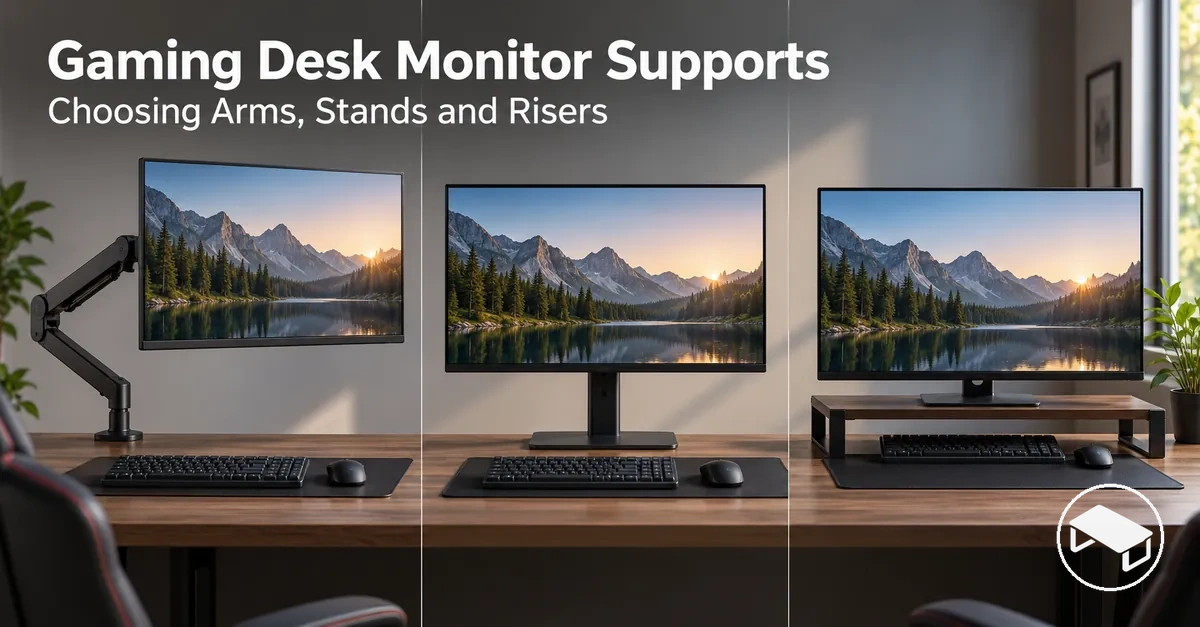
Gate-first monitor support decision guide
Use these checks in order. A preferred feature cannot compensate for a failed compatibility or desk-fit requirement.
- Choose the support methodUse a desk-mounted arm for movable positioning from a clamp or grommet mount; use a desktop stand when a base-supported monitor mount is preferred; use a riser when the goal is to raise the monitor or its existing stand on a platform.
- Pass compatibilityFor supports that attach to the monitor, match the mounting interface and VESA pattern where applicable. Keep the carried monitor load and screen configuration inside the support's stated limits.
- Pass desk fitCheck the base, clamp or grommet location, desk thickness or mounting surface where relevant, rear clearance, movement envelope and usable desktop area.
- Then compare preferencesChoose the required height, reach, tilt, swivel or rotation, and weigh stability and storage only among options that already pass the first three gates.
The sections below separate support type, compatibility, desk-space fit and movement so each decision can be checked against the actual monitor and desk rather than a universal “best” support.
Table of Contents
Monitor Support Types for Gaming Desks
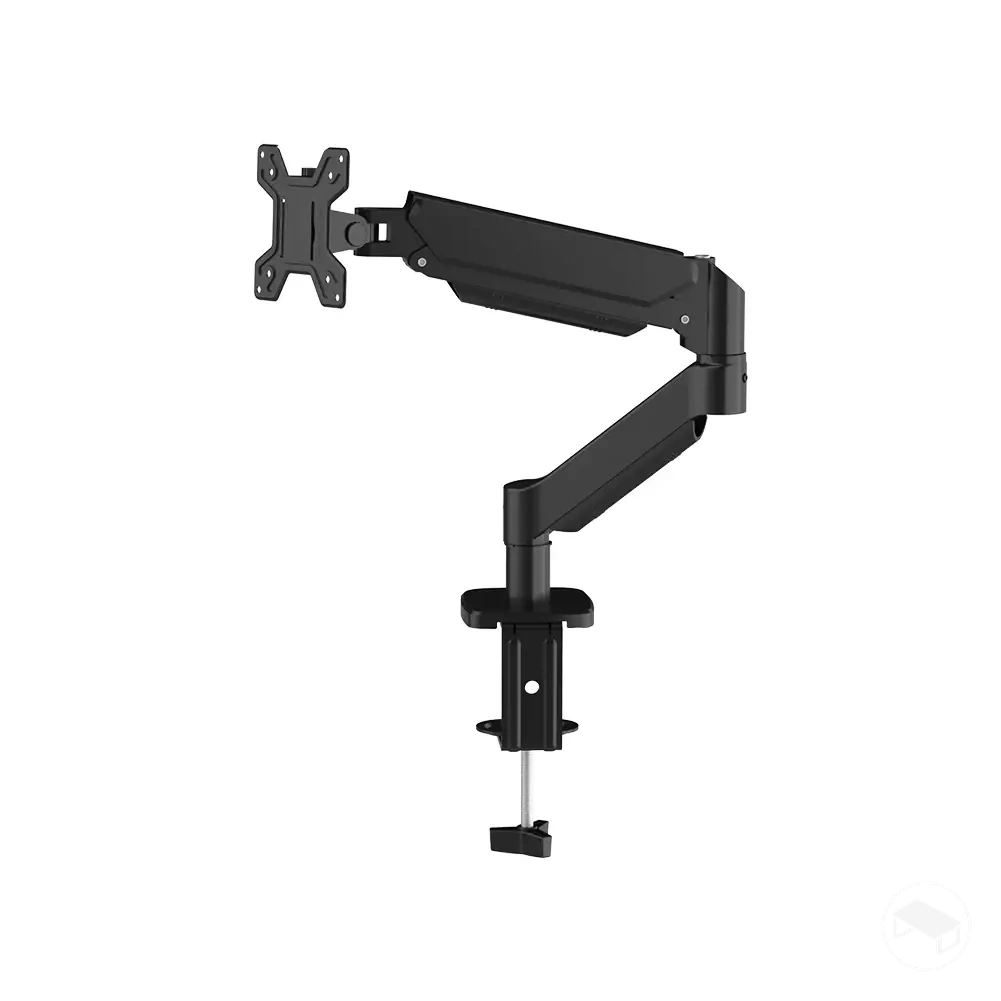
Gaming desk monitor supports differ first by how they carry the display. A desk-mounted monitor arm transfers the load to a clamp or grommet attachment, a desktop monitor stand carries the display from a base on the desk, and a monitor riser raises the monitor or its existing stand on a platform.
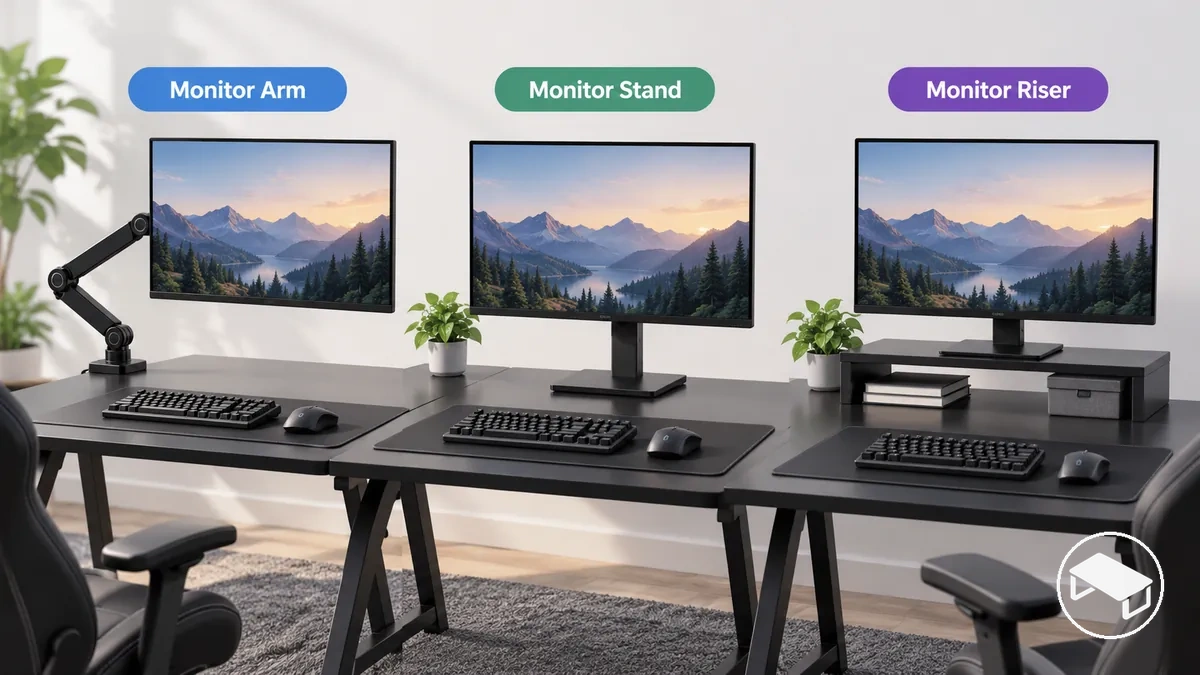
Support method at a glance
Desk-mounted arm
Support point: clamp or grommet at the desk.
Typical value: movable height/reach/orientation within the model's stated range.
Main trade-off: frees the conventional monitor-base footprint but requires a compatible desk mounting point and movement clearance.
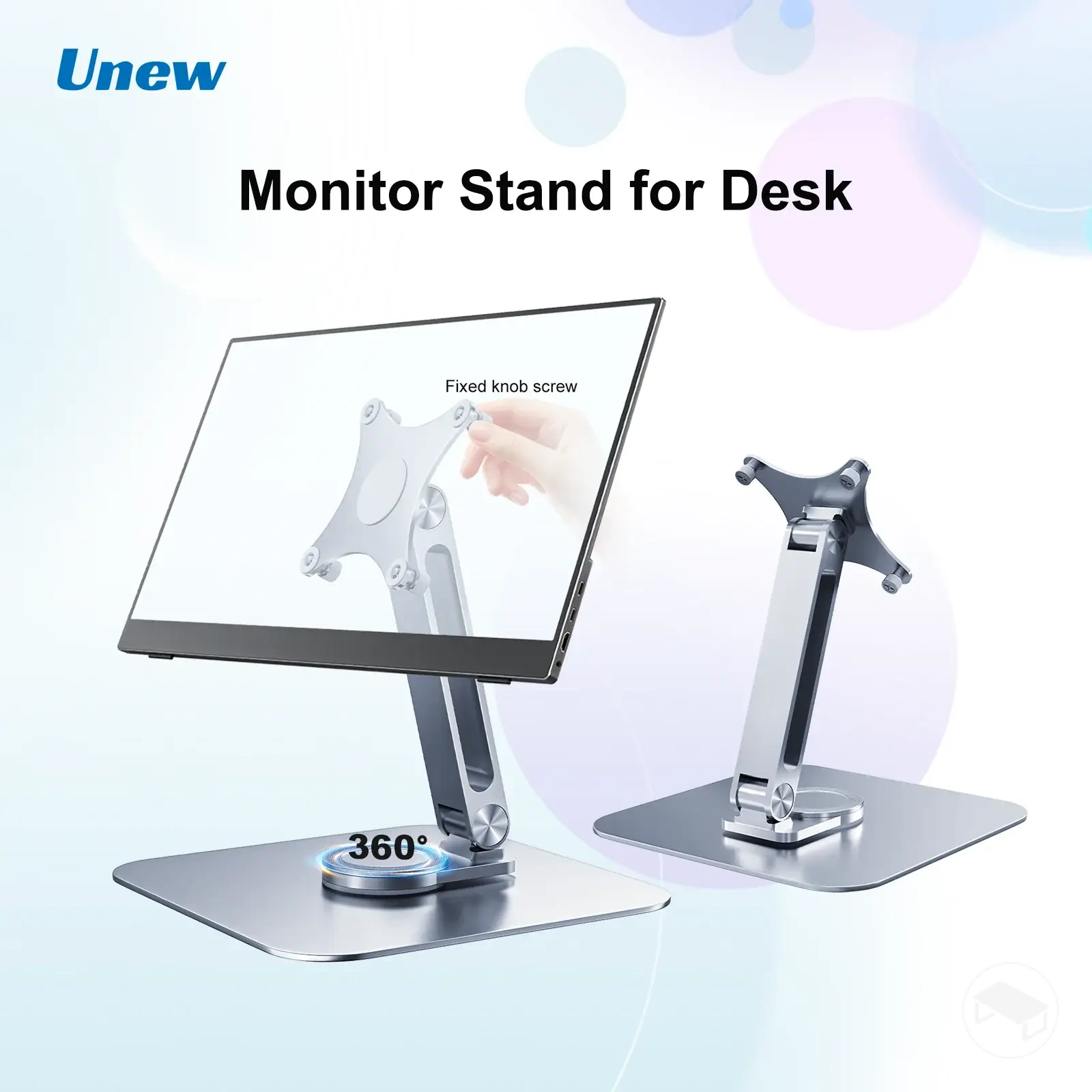
Desktop monitor stand
Support point: base resting on the desktop.
Typical value: fixed or adjustable positioning, depending on the stand.
Main trade-off: avoids desk-edge mounting but keeps a base footprint on the surface.
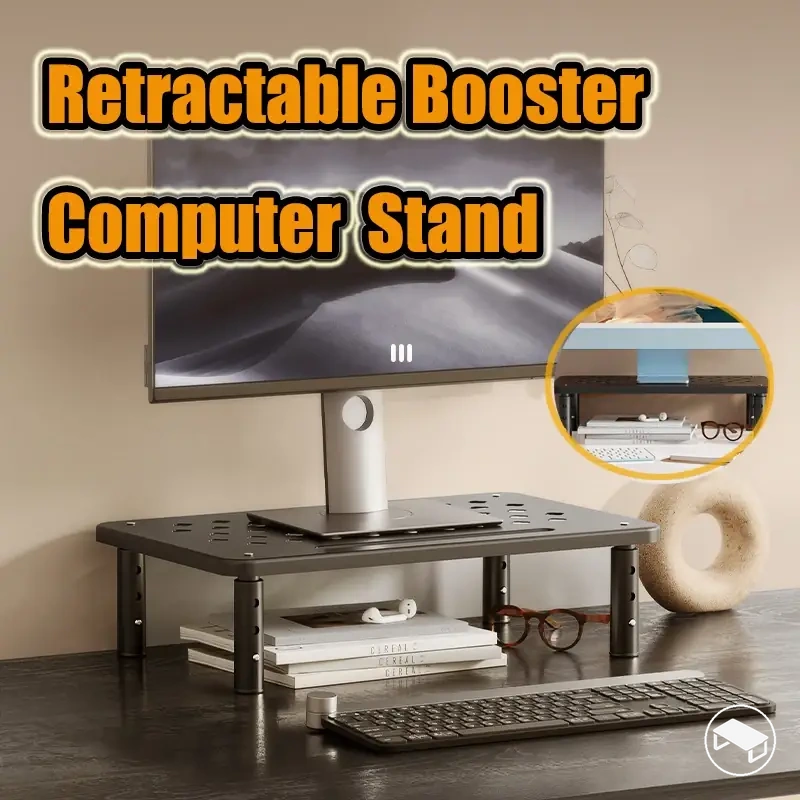
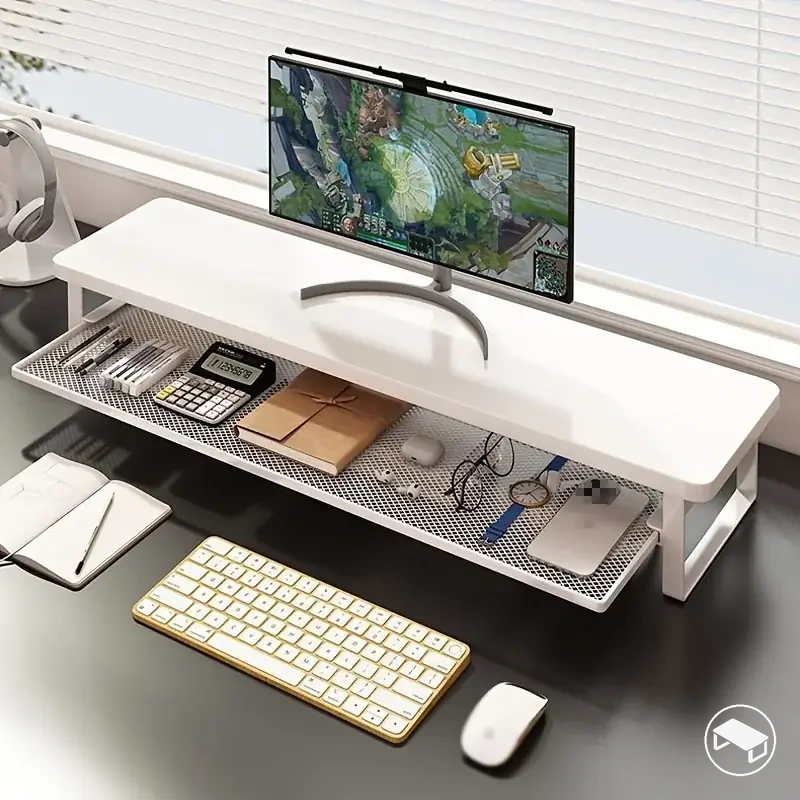
Monitor riser
Support point: raised platform on the desktop.
Typical value: fixed, stepped or adjustable elevation; some designs add under-platform storage.
Main trade-off: simple elevation in exchange for the platform's surface footprint.
Choose the category that matches the required support method first; then compare the individual model's load limit, footprint, adjustment and stability rather than assuming that every arm, stand or riser behaves the same way.
Monitor Arms and Desk-Mounted Supports
A monitor arm supports the display from a desk attachment point through one or more articulated sections. The arm's geometry determines its movement envelope, while its mounting hardware determines how it transfers load into the desk.
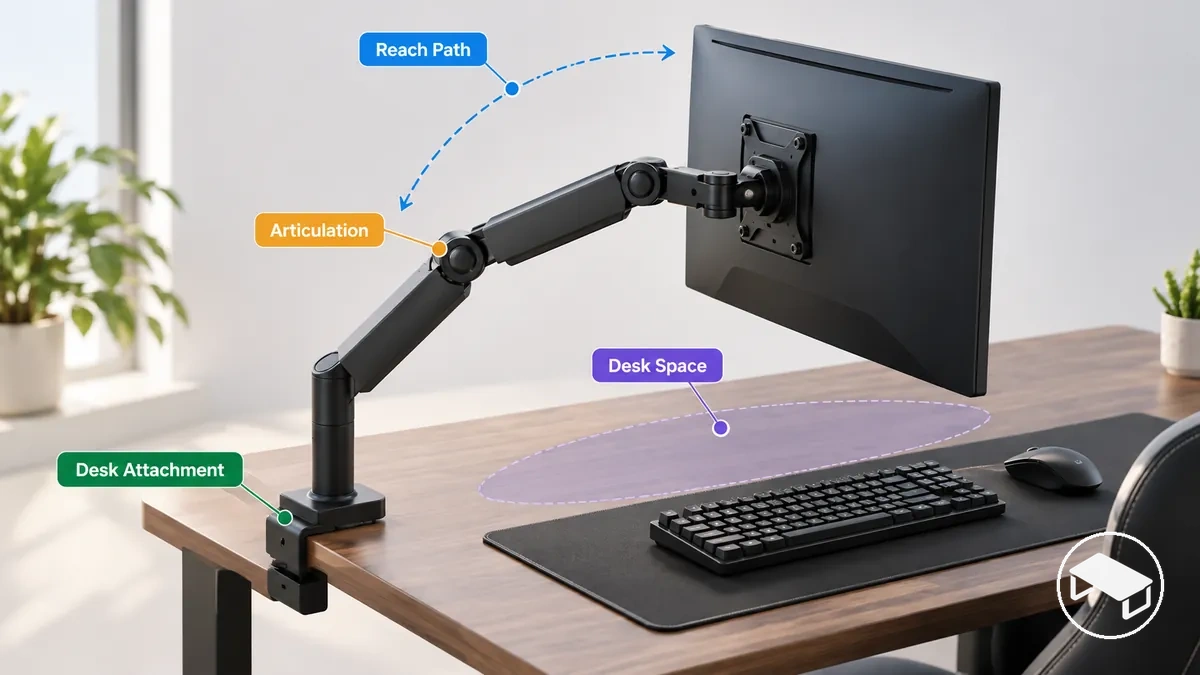
For a clamp-mounted arm, the desk edge must fall within the model's stated thickness range and provide enough suitable contact area. For a grommet-mounted arm, the desk needs a compatible hole or mounting provision plus the stated thickness fit. In either case, the attachment point must suit the support's own mounting requirements.
Screen capacity defines how many displays the arm is designed to carry, while reach, extension, height, tilt, swivel and rotation are limited to the model's documented movement ranges. The conventional monitor-base area can remain open, but the mount, arm sweep and display movement path still require space.
For an arm, the practical fit is therefore monitor compatibility + desk-mount compatibility + required movement range. If any one of those is unconfirmed, the arm should not be treated as a confirmed fit.
Desktop Monitor Stands and Risers
Desktop monitor stands and monitor risers are both surface-supported, but they perform different jobs: a stand supports the monitor from its own base, while a riser provides an elevated platform that normally carries the monitor or the monitor's existing stand.
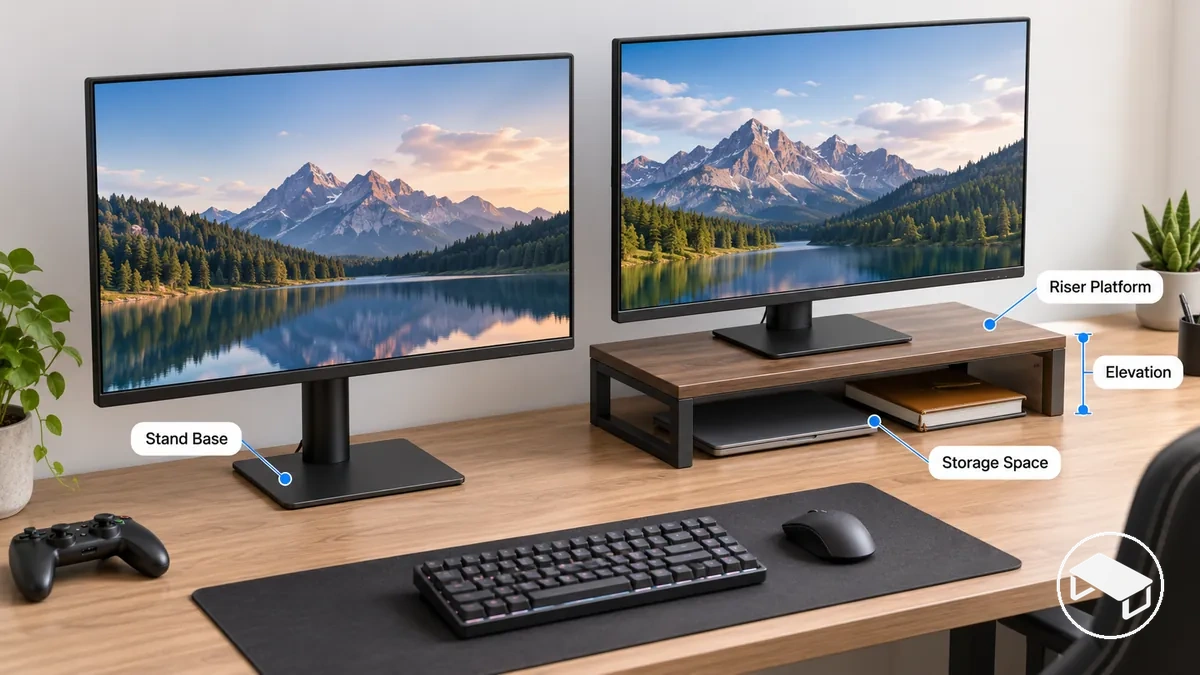
Desktop monitor stand
Check the stand's monitor attachment method, load rating, supported screen configuration, base footprint and any height or orientation adjustment. A VESA-equipped stand still requires a matching VESA interface.
Monitor riser
Check the platform load rating, usable platform dimensions, footprint and stability. A platform-style riser does not need VESA compatibility unless the design also attaches directly to the monitor.
Storage-oriented risers can make the space below the platform useful, but only when the stored items fit that space and remain practical to access. The storage gain should be weighed against the surface area occupied by the riser itself.
Monitor Compatibility and Load Requirements
Compatibility is a set of separate conditions rather than one specification. For a support that attaches to the monitor, the mounting interface must match; for every support, the carried load and intended screen configuration must remain within the relevant stated limits.
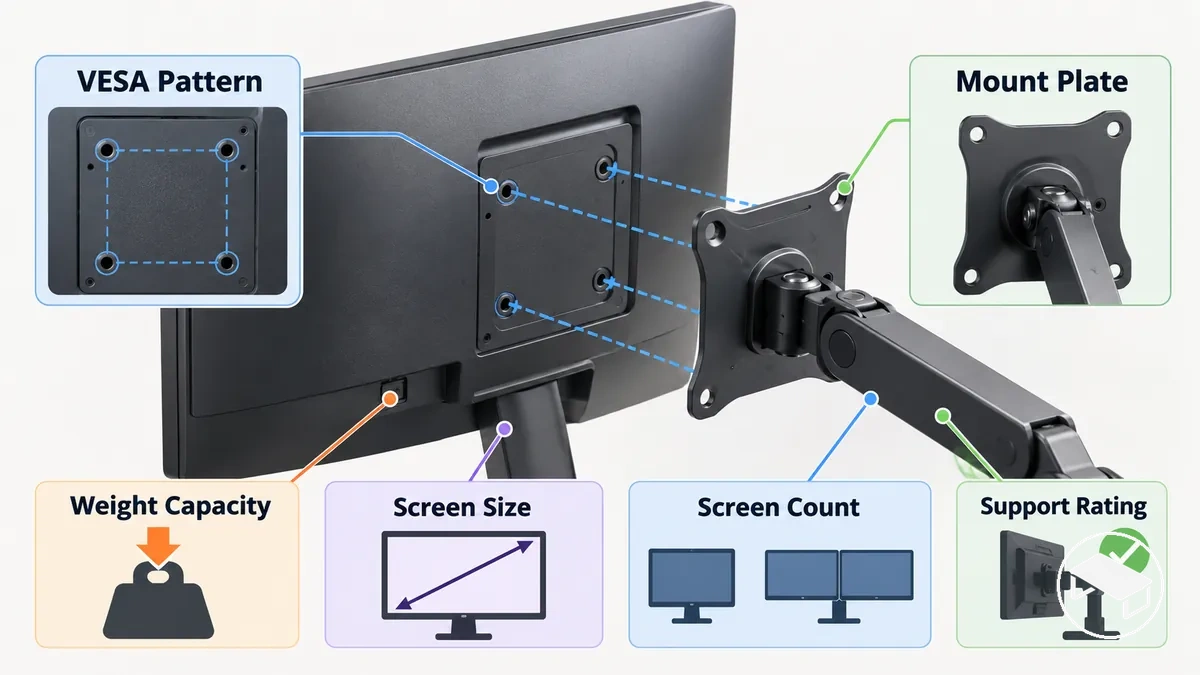
- Mounting interface: if the support attaches to the monitor, verify the VESA pattern or other supported interface, including any specifically approved adapter.
- Carried monitor weight: compare the weight actually carried by the support with its stated capacity for that configuration.
- Screen size: treat the manufacturer's size range as a separate fit condition; diagonal screen size does not establish the monitor's weight.
- Screen count: confirm that the support is specified for the intended single-, dual- or multi-monitor arrangement.
- Desk or platform fit: verify the base, clamp, grommet or riser platform requirements that apply to the support type.
A configuration is a confirmed fit only when every applicable mandatory condition passes. If a required specification is missing, fit remains unconfirmed until that specific value is checked for the monitor and support.
VESA Fit for Mounted Supports
VESA fit concerns the mounting-hole interface between the monitor and a support plate. The pattern is expressed as horizontal × vertical hole spacing in millimetres; 75 × 75 mm and 100 × 100 mm are common on many computer monitors, but the exact pattern must still be matched rather than assumed.
Direct attachment requires the monitor's mounting holes and the support plate to use the same supported pattern. If they do not match directly, attachment is suitable only when an adapter is specifically compatible with the monitor and support arrangement.
A matching VESA pattern confirms only the interface geometry. It does not prove weight-capacity, screen-size, screen-count or desk-fit compatibility.
For a platform-style monitor riser that simply supports the monitor or its original stand, VESA is usually not part of the fit check because the riser does not attach to the monitor.
Monitor Weight, Size and Screen Count
Monitor weight, screen size and screen count are related to fit but are not interchangeable attributes. A screen can match a listed diagonal-size range and still be too heavy for the support, or remain within the weight limit while failing another configuration requirement.
Monitor weight
For a VESA-mounted arm or stand, compare the support rating with the weight of the display portion the mount carries—normally the monitor without its original desktop stand unless the support manufacturer defines the load differently.
Screen size
Use the model's stated size condition as a geometry or configuration check, not as a substitute for weight capacity.
Screen count
For dual or multi-monitor supports, verify the permitted number and arrangement of displays, plus any per-arm and total configuration limits stated for the model.
The display configuration passes this gate only when all applicable load, size and screen-count conditions remain within the support's stated limits.
Desk Space and Support Footprint
Desk-space fit has two parts: occupied surface area and operational clearance. A support can physically sit on the desk yet still be unsuitable if the monitor, arm sweep or required rear movement collides with a wall or consumes the surface needed for other equipment.
- Check that the stand or riser footprint fits the usable desktop area, or that the arm's clamp/grommet can use the intended mounting location.
- Account for monitor depth and the complete width/depth of multi-screen arrangements.
- Leave the rear clearance required by the support geometry and the monitor's intended position relative to a wall or desk edge.
- Leave enough movement clearance for every position the monitor is expected to reach.
- Confirm that the remaining surface still accommodates the keyboard, mouse and other equipment the setup needs.
There is no useful universal minimum desk dimension for every support. The relevant value is whether the actual footprint + required movement envelope fits the actual desk while preserving the intended usable surface.
Surface Footprint and Rear Clearance
The surface footprint is the area occupied by a base or riser, or the contact area and location needed by a desk mount. Rear clearance is the free space needed behind the monitor/support for the intended fixed position or movement path.
For clamp-mounted arms, also verify the desk edge against the model's stated thickness range and contact requirements; a spatially convenient mounting point is not a valid one if the clamp cannot seat as specified.
Storage and Surface-Space Trade-offs
A monitor riser with storage does not automatically create more desk space; it exchanges part of the desktop footprint for storage capacity below or within the platform.
Storage gained
Open space, drawers or compartments can move small peripherals off the exposed work surface when those items fit and remain easy to access.
Surface cost
The platform still occupies desktop area. If its footprint displaces more useful placement space than its storage replaces, the setup loses rather than gains usable surface.
The useful decision value is therefore not “has storage” but whether the storage replaces items that would otherwise occupy more valuable desk space.
Adjustment Range and Support Stability
A monitor support needs enough movement to reach the required positions while remaining acceptably stable at those positions. Extra movement range is not automatically better, because extension changes leverage and can make desk flex or support movement more noticeable.
- Adjustment range
- The set of supported vertical, front-to-back and orientation positions created by height, reach/extension, tilt, swivel and rotation.
- Stability drivers
- Support design, carried load, extension from the mounting point, desk rigidity, mounting security and movement of the desk itself.
- Decision rule
- Choose the smallest range that fully covers the positions the setup actually needs, provided the support remains within its rated configuration and stable enough for intended use.
The correct comparison is therefore between required position coverage and stability under the actual loaded position, not simply the number of adjustment features listed.
Height, Reach and Position Adjustment
An adjustable support is sufficient only when its documented ranges cover every monitor position the setup requires. Check each movement axis independently.
Height
Must cover the required vertical screen positions.
Reach / extension
Must cover the required front-to-back position for the desk depth and viewing arrangement.
Tilt / swivel
Relevant when the screen must change viewing angle or face a different direction.
Rotation
Relevant for portrait/landscape changes and only useful when the monitor and surrounding space allow that movement.
If a required range is not documented, that movement remains unconfirmed. A support with more nominal adjustment features is not a better fit when those features do not cover the positions the setup actually needs.
Stability, Wobble and Desk Movement
Stability should be judged with the monitor installed and positioned where it will actually be used. Wobble can come from the support joints, longer extension and leverage, desk flex or movement, or a mount that is not seated and tightened as specified.
- Loaded position: judge stability at the extension and orientation the setup will use, not only with the arm folded close to its mount.
- Desk and mount: confirm that the mounting surface is suitable and that the support hardware is installed according to the model's requirements.
- Spring or gas-spring arms: adjust tension according to the support instructions and monitor load; tension adjustment can help the arm hold position but does not increase the rated load capacity.
- Desk movement: account for sit-stand movement, typing vibration or a flexible desktop when those conditions are part of normal use.
A support is suitable on this attribute when it reaches the required positions and remains stable enough for the intended setup without exceeding any stated load or mounting condition.
Prioritising Monitor Support Features for Your Setup
Prioritise a monitor support by excluding options that fail mandatory compatibility or desk-fit requirements before comparing convenience features. This prevents an appealing adjustment, storage or aesthetic feature from masking a basic fit problem.
Mandatory gates
- Mounting interface or platform fit, where applicable
- Stated weight capacity
- Screen count and configuration
- Desk mount, footprint and clearance
Preference criteria
- Height, reach, tilt, swivel or rotation beyond the minimum required
- Stability characteristics under intended use
- Storage and surface-space priorities
- Convenience features that do not override mandatory fit
The suitable support is one that first passes every mandatory gate and then provides the preferred features the setup will actually use. Apply that same order when reviewing the product examples below.
The products below are examples of the support profiles discussed in this guide. Before following an affiliate destination, verify the linked product's current specifications against your monitor, desk and required movement.