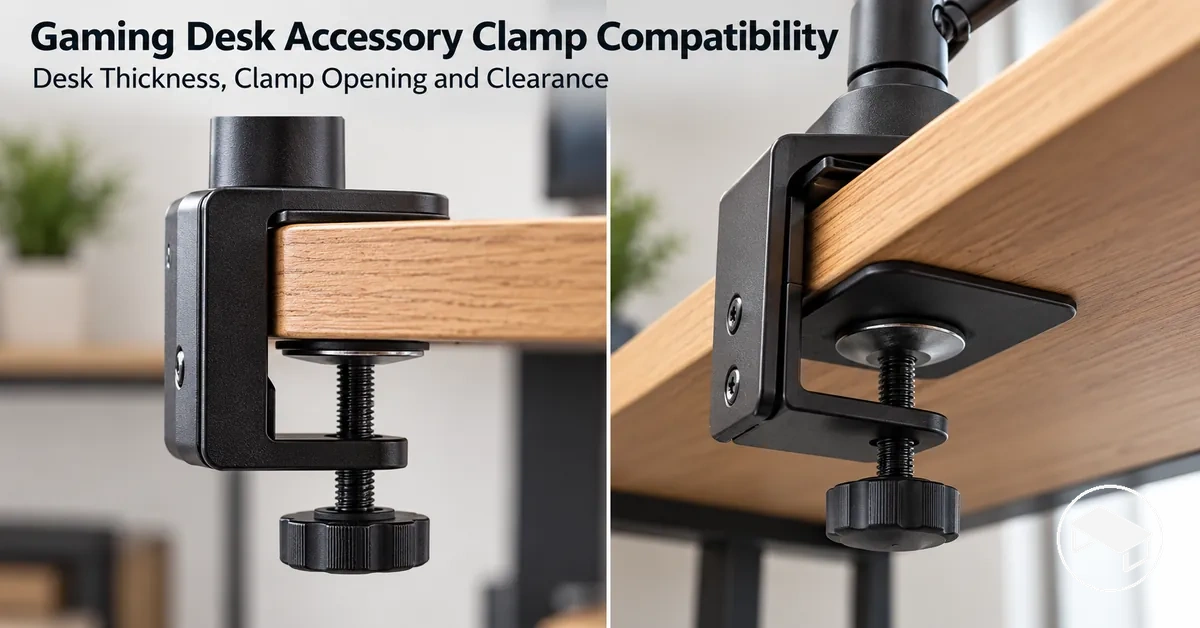
Gaming Desk Accessory Clamp Compatibility Checklist
A gaming desk accessory clamp fits only when four conditions align at the same mounting position: the local desktop thickness is within the clamp’s stated opening range, the upper and lower contact surfaces can seat properly, the clamp hardware has enough rear and underside clearance, and the intended load is within the mount’s stated limit while the desktop provides suitable local support. A thickness match alone does not establish compatibility, so use the specific mount’s stated limits and the desk geometry at the exact mounting point.
Clamp compatibility verifier
Set each item to Yes only after checking the intended mounting position and the specific mount’s instructions or specifications. A single No means that position fails the core fit screen; an unchecked item means compatibility is not yet verified.
Result: Set all four checks, then select “Evaluate compatibility”.
This is a screening tool for the article’s four core compatibility conditions. It does not replace the mount manufacturer’s installation instructions or establish the desk manufacturer’s structural load limit.
The sections below show how to verify each condition and how desk-edge shape, grommet access, frames, cable trays, reinforcement plates, and local desktop support can change the result.
Table of Contents
Desk and Mounting Conditions That Determine Clamp Compatibility
Clamp compatibility requires the desk-side conditions and mount-side conditions to align at the same mounting position.
The desk must provide accessible geometry for the clamp, while the mount must accommodate that geometry within its supported fit conditions.
A suitable position therefore combines desk edge access, a supported thickness range, usable contact surfaces, and enough surrounding space for the clamp hardware.
Local fit must be verified rather than assumed from the desk or mount alone.
The diagram below shows how the desk edge, desktop thickness, flat contact surfaces, rear clearance, and underside clearance must coincide with the clamp body at one mounting position.
These desk and mounting conditions must be available together for the illustrated clamp configuration to fit.

Desk edge access must leave the intended attachment path physically available, and the local desktop thickness must fall within the supported thickness range stated for the mount.
The mounting position must also provide flat contact for the clamp surfaces plus the rear clearance and underside clearance required by that clamp design; an obstruction in any required space prevents that configuration from fitting at that position.
These conditions establish physical clamp fit, not the desk's broader structural suitability for the intended load.
For example, a desk with an attachment path blocked by a rear structure may rule out a clamp-related accessory at that position while leaving other accessory or mounting choices available.
That local clamp-fit evaluation is narrower than gaming desk accessories and selection priorities.
The following checklist organizes the principal desk and mounting conditions rather than establishing compatibility by itself.
It verifies desk edge access, supported thickness range, contact area, rear clearance, and underside clearance at the intended mounting position.
- Desk edge access: the desk edge and intended attachment path must be physically accessible; an obstruction in that path prevents the clamp configuration from fitting there.
- Supported thickness range: the local desktop thickness must fall within the range stated for the particular clamp model; a thickness outside that range fails the model's thickness fit condition.
- Flat contact: the mounting position must provide usable contact area for the clamp's upper and lower contact surfaces; a shape or obstruction that prevents the required contact removes that fit condition.
- Rear clearance: the space behind the desk edge must accommodate the parts of the clamp that extend beyond the desktop; an obstruction in that required space prevents the intended configuration.
- Underside clearance: the area below the mounting position must provide the hardware space required by the clamp body and tightening mechanism; an obstruction there can prevent the clamp from occupying its required position.
Clamp Mounts Need Desk-Edge Access While Grommet Mounts Need a Suitable Opening
Clamp and grommet mounts use different attachment paths, so the desk must be checked against the requirements of the specific mounting method.
Attachment-path comparison
Clamp mount
- Needs
- An accessible desk edge, supported local thickness, usable upper and underside seating surfaces, and space for clamp hardware.
- Fails locally when
- The required edge contact or hardware path is blocked at the intended position.
Grommet mount
- Needs
- A suitable through-desk opening that matches the mount’s stated hole requirements, plus underside access and a suitable local mounting surface.
- Fails locally when
- No suitable opening or through-desk fastening path is available, or underside interference prevents installation.
Neither method is inherently better from desk-fit conditions alone; the usable option is the one whose attachment path and stated requirements match the desk.
The comparison graphic below shows the desk conditions for each attachment path: a clamp mount grips an accessible desk edge, while a grommet mount passes through a suitable opening in the mounting surface, with underside access available for the hardware in both configurations.

For example, a desk with no usable edge contact surface may still suit a grommet mount when a suitable grommet opening, local mounting surface, and required underside access are available; conversely, an accessible desk edge may provide a clamp attachment path where no suitable opening exists.
Broader factors for choosing compatible gaming desk monitor supports extend beyond this local attachment distinction.
Neither method ranks above the other from these desk-fit conditions alone.
Desk Thickness and Clamp Opening Range
The measured desk thickness at the intended mounting point must be at or within the minimum-to-maximum clamp range stated for that specific mount before thickness compatibility can be established.
The supported range is model-specific, so no universal millimetre limit should be assumed when the manufacturer's stated specification is unavailable.
Being inside that range is necessary but does not by itself establish secure mounting because required engagement and local contact conditions remain separate.
Both the stated minimum thickness and maximum thickness therefore affect the fit decision.

For example, a measured thickness below the stated minimum can fall outside the clamp's intended engagement range, while a measurement above the stated maximum can exceed the available clamp opening.
The diagram clarifies this relationship by showing the desktop thickness separately from the clamp opening span and its upper and lower contact points.
Compare the desk thickness with the stated clamp opening range at the intended mounting point using the conditions below.
| Entity/part | Attribute/criterion | Value/condition | Fit implication |
|---|---|---|---|
| Desktop | Measured desk thickness | Below the clamp's stated minimum thickness | Outside the supported range; thickness compatibility is not established for that clamp model. |
| Desktop and clamp | Measured thickness versus clamp opening range | At or between the stated minimum and maximum thickness | Meets the model's thickness-range condition; required engagement and other local fit conditions still determine final compatibility. |
| Desktop | Measured desk thickness | Above the clamp's stated maximum thickness | Outside the supported range because the desktop exceeds the stated clamp opening for that model. |
A desk outside the stated supported range should not be assumed to fit by relying on maximum clamp opening or forced engagement alone.
Use the mount manufacturer's stated minimum and maximum limits for the specific clamp model rather than applying a universal thickness threshold.
Measure Desktop Thickness at the Intended Clamp Position
Measure the desktop thickness at the exact intended clamp position so the value represents the top and underside surfaces the clamp will actually span.
Use the top surface and the true underside at that point as the measurement boundaries.
The visual below shows the exact measurement location and surfaces before the three-step check.

- Locate the exact intended clamp position on the desk edge where the clamp would span the desktop.
- Measure from the top surface to the actual underside at that position; if a lip or stepped profile changes the local thickness, follow the surfaces the clamp would span.
- Compare the measured thickness with the clamp opening range stated for the specific mount to verify whether the local measurement falls within its stated limit.
For example, if a lip or stepped edge is present at the intended clamp position, the relevant desktop thickness is the span between the top surface and the underside that the clamp would actually contact there.
This measurement verifies one local sizing condition and does not by itself establish overall compatibility.
Desk-Edge Shape and Clamp Contact Area
Desk-edge shape can reduce the usable clamp contact area even when the desktop thickness is within the mount's supported range.
A clamp requires usable seating surfaces where its upper and underside pads meet the desk, and the available contact depth must suit the clamp's geometry.
A bevel, rounded edge, lip, or overhang can change those surfaces without automatically making the desk incompatible.
The decision focus is the usable flat contact at the intended mounting point, not the edge-profile label by itself.
For example, an edge profile can provide enough upper contact for the top clamp pad while a bevel or rounded underside reduces the flat contact available to the lower pad.
A lip or overhang can also change contact depth by shifting where the clamp pads can seat relative to the desk edge.
Check the desk-edge shape and clamp contact area at both the upper contact and underside contact points, together with the usable contact depth, using the checklist below.
- Upper pad seating: The upper contact area provides a flat contact surface for the clamp pad; an interrupted or strongly curved surface reduces usable seating.
- Underside pad seating: The underside contact area provides a usable flat contact surface for the lower pad; a bevel, rounded edge, or step can reduce the area available for seating.
- Contact depth: The desk edge provides enough usable depth for the clamp's contact surfaces to seat on the intended area; insufficient depth limits usable clamp contact.
- Edge profile interruption: A bevel or rounded edge within a pad's seating area changes the contact condition, so compatibility depends on whether that clamp can still seat on usable surfaces.
- Local overhang or lip: A lip or overhang within the clamp's seating path changes the local geometry, so the actual upper and underside contact surfaces determine whether usable seating remains available.
Nominal desk thickness compatibility does not establish clamp contact compatibility when the pads cannot seat on usable surfaces at the intended mounting point.
Treat the desk-edge shape, upper contact, underside contact, and contact depth as local seating conditions for the specific clamp rather than assuming that every non-square edge either fits or fails.
Beveled, Rounded, and Lipped Edges Reduce Usable Clamp Contact
Edge-profile names do not decide compatibility by themselves; what matters is whether the profile overlaps the clamp’s actual seating surfaces.
How edge profiles change usable contact
Bevel
An angled face can replace part of a flat seating area. Compatibility depends on whether the clamp pad still reaches a sufficiently flat bearing surface.
Rounded edge
A curve can reduce flat contact where it enters the upper or underside pad footprint. A pad that seats farther from the curve may still have usable contact.
Lip or overhang
A projecting edge can shift the pad position or interrupt the underside path. Check both pad seating and the clamp’s usable contact depth.
For example, a rounded edge that curves into the lower seating area can leave less usable contact for the underside clamp pad, while a clamp whose pad seats farther from that curve may contact a flatter part of the desk.
Judge the local fit by the usable contact and contact depth available to the specific clamp, not by the edge profile name alone.
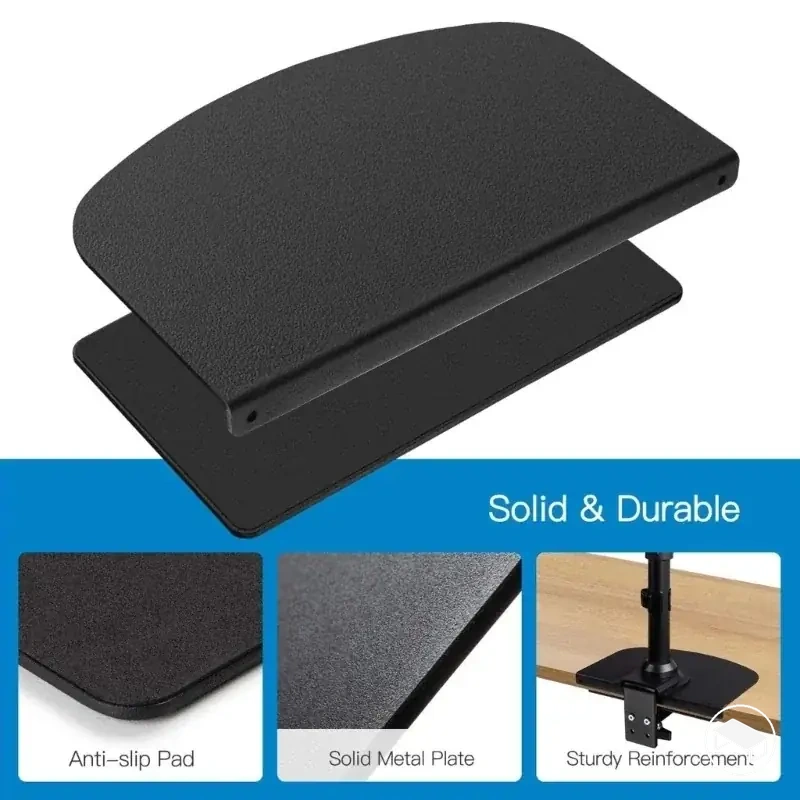
Mounting Plates Need Sufficient Flat Contact with the Desktop
A mounting or reinforcement plate helps only when its designed footprint can seat flat at the chosen position.
Plate-fit conditions
- Plate footprint
- The intended bearing surface can sit flat rather than bridging a lip, frame, or other local interference.
- Underside access
- There is enough space for the plate and the associated clamp hardware to occupy their intended positions.
- What the plate changes
- It can enlarge the contact area and change local pressure distribution when the mount design allows it.
- What it does not prove
- It does not increase the mount manufacturer’s stated load rating or, by itself, establish the desktop’s structural capacity.
For example, local interference beneath the intended position can prevent a reinforcement plate from seating fully even when the upper contact surface is flat.
The required underside access must allow the plate and associated clamp surfaces to occupy their intended positions without that interference; meeting these plate-seating conditions establishes local plate fit, not the overall load suitability of the clamp and desk combination.
Rear and Under-Desk Clearance for Clamp Hardware
Clamp hardware needs enough rear clearance and under-desk clearance at the intended mounting position for the clamp body, screw travel, pressure pad, and tightening movement.
The required space is specific to the clamp design, so the fit condition is whether each hardware part can occupy and move through its required path.
Rear space must accommodate the clamp body and tightening access, while underside space must accommodate the pressure pad and required screw travel.
Clearance is a separate compatibility condition from desktop thickness: a desk can be within the supported clamp range and still block the clamp body, pressure pad, screw or lever travel, or tightening access.
For example, a desktop can meet the clamp's thickness requirement yet have wall proximity that restricts rear clearance for the clamp body or tightening access, or shallow underside space that restricts screw travel and pressure-pad positioning.
Rear and under-desk clearance for clamp hardware is verified by checking the rear gap, underside depth, screw travel, pressure-pad space, and available tightening access.
Use the checklist below to verify the physical space required around the desk edge at the intended mounting position.
- Rear gap: The space behind the desk edge must accommodate the clamp body in its intended position; a smaller available gap than the clamp design requires prevents the body from occupying that position.
- Underside depth: The space beneath the mounting position must accommodate the clamp hardware through the depth required by its design; insufficient under-desk clearance prevents the hardware from occupying its required space.
- Screw travel: The screw must have an unobstructed path through the travel required to position and tighten the clamp; restricted travel prevents it from reaching its intended clamping position.
- Pressure-pad space: The underside must provide enough space for the pressure pad to occupy its intended footprint; insufficient space prevents the pad from seating in its required position.
- Tightening access: Wall proximity and surrounding space must allow the tightening movement required by the clamp design; restricted access prevents that tightening motion from being completed as intended.
Passing the desktop-thickness check does not guarantee sufficient rear clearance or under-desk clearance for the clamp hardware.
The mounting position also needs space for the clamp body, screw travel, pressure pad, and tightening access required by that clamp design, and satisfying these clearance conditions does not by itself establish structural suitability.
Desk Frames, Cable Trays, and Other Obstructions Can Block the Clamp
Under-desk hardware is a local geometry constraint: a frame, apron, cable tray, power rail, or similar part matters when it overlaps the space or movement path the clamp requires.
Obstruction decision path
- Locate the obstruction.Compare its position with the exact proposed clamp location, not with the desk in general.
- Check the hardware paths.Verify clamp depth, pressure-pad seating, screw or lever travel, and access needed for tightening.
- Choose the outcome.If any required path overlaps the obstruction, test another valid position. If no position clears the conflict, that clamp configuration does not fit the desk as-is.
For example, if a cable tray blocks the screw path at one mounting position, another valid position may avoid the conflict when it provides the required clamp depth and pressure-pad seating without the same obstruction.
If no valid position provides those conditions, fixing a desk accessory clamp that will not fit is a separate troubleshooting task.
This local check determines whether position changes the fit condition; it does not assume that under-desk hardware can or should be modified.
Desktop Strength, Clamp Load Capacity, and Pressure Distribution
Clamp load capacity and desktop suitability are separate constraints: the intended mounted load must remain within the manufacturer’s stated limit for the specific mount and configuration, while the desktop must also provide suitable local support at the chosen position.
A clamp's stated load rating describes the clamp under the manufacturer's specified conditions; it does not establish the desktop's load capacity.
The compatibility decision therefore requires both the clamp rating and the desktop's local support condition to be acceptable for the intended setup.
For example, a clamp can have a manufacturer limit above the intended accessory load while the desktop material, desktop condition, or local strength at the mounting point still makes that location unsuitable.
The contact area also affects how clamp force is transferred locally, while a reinforcement plate, where applicable to the design, can change the contact area and pressure distribution without establishing the desktop's capacity by itself.
Desktop strength, clamp load capacity, contact area, and pressure distribution should therefore be considered together using the criteria below.
| Entity/part | Attribute/criterion | Value/condition | Compatibility implication |
|---|---|---|---|
| Clamp | Clamp load capacity | The specific clamp's stated manufacturer limit under its specified conditions | The intended accessory load must remain within that model-specific rating; the rating does not establish desktop suitability. |
| Intended accessory | Accessory load | Within the applicable manufacturer limit for the specific clamp and configuration | Meets the clamp-rating criterion only when the desktop also meets its local support conditions. |
| Desktop | Desktop material and desktop condition | Material, construction, and condition suitable for supporting the mounted load at the intended position | A suitable clamp rating does not override a desktop condition that cannot support the load locally. |
| Local support area | Local strength | Mounting area capable of supporting the applied clamp and accessory forces independently of the clamp's stated rating | Local support must be suitable before the desktop can be treated as compatible with the intended mounting configuration. |
| Clamp contact pads | Contact area and pressure distribution | Contact surfaces seat over the area required by the clamp design so force is transferred through its intended contact region | If the required contact area is not available, suitable pressure distribution at that mounting point cannot be assumed. |
| Reinforcement plate | Contact area and pressure distribution | Where applicable, the plate changes the contact area and distributes force over the seating area provided by its design | The plate can change the local force distribution but does not by itself establish sufficient desktop strength or overall compatibility. |
Compatibility requires both conditions to be satisfied: the accessory load must remain within the specific clamp's manufacturer limit, and the desktop material, desktop condition, local strength, contact area, and pressure distribution must be suitable for that mounting configuration.
When clamp-based support is unsuitable after those criteria are checked, monitor arm versus riser comparison provides the boundary for considering a different support approach.
Product options should be considered only after the clamp and desktop criteria are satisfied for the intended setup.
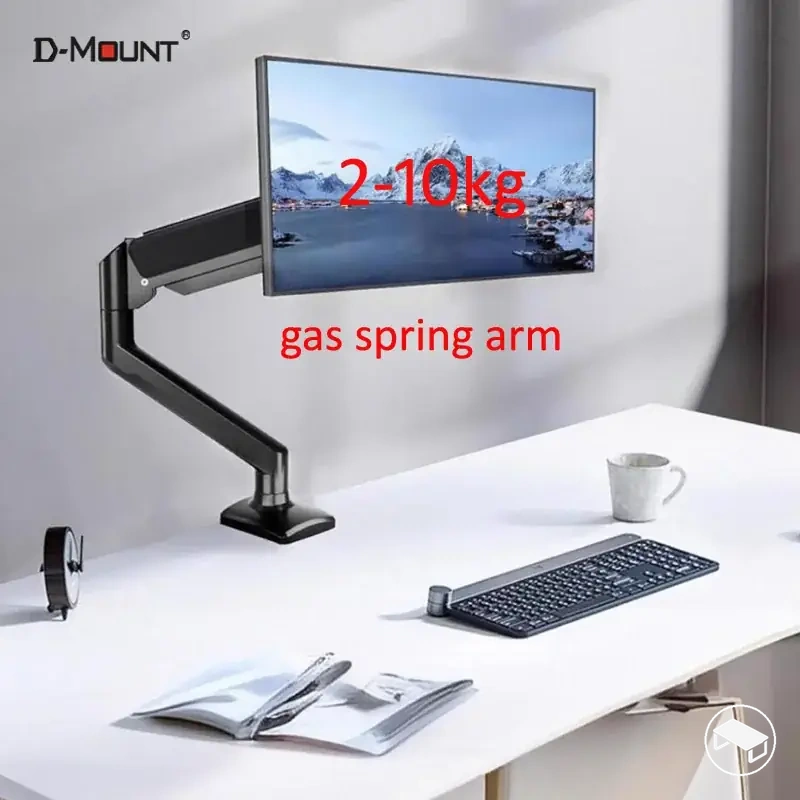
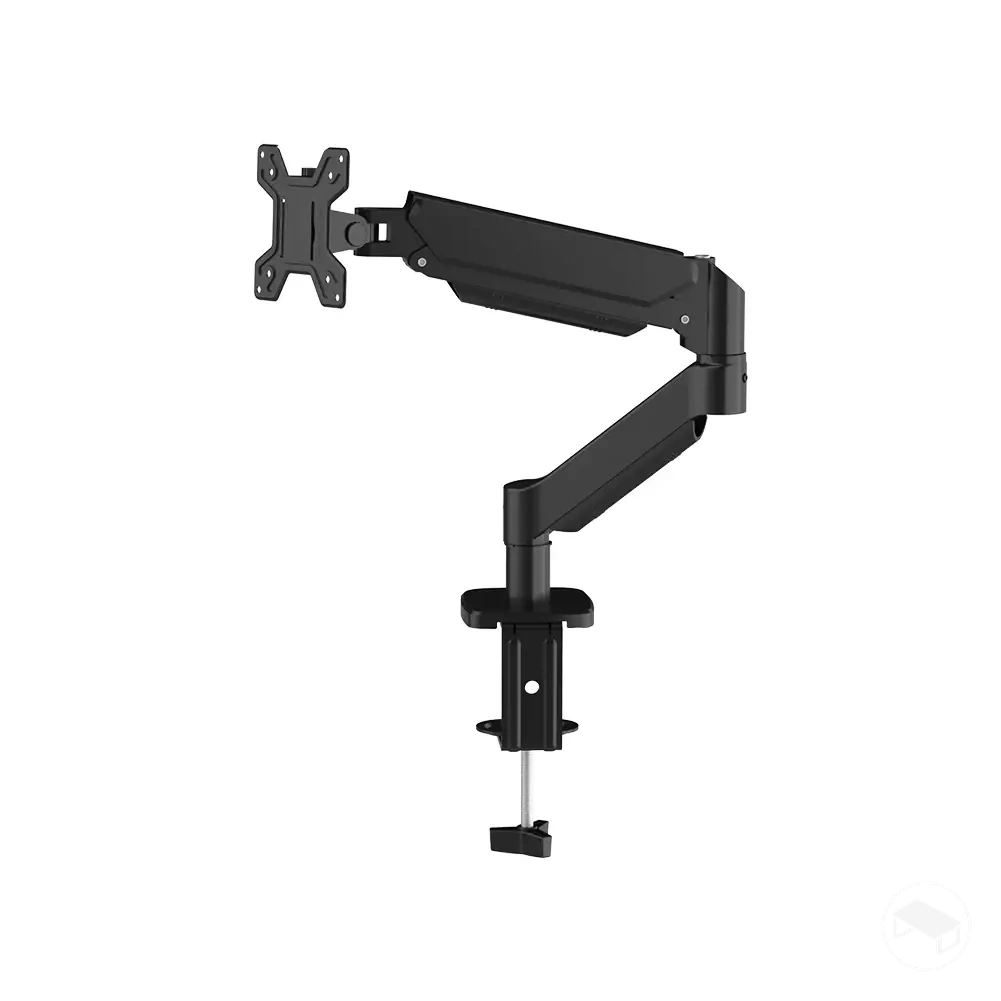
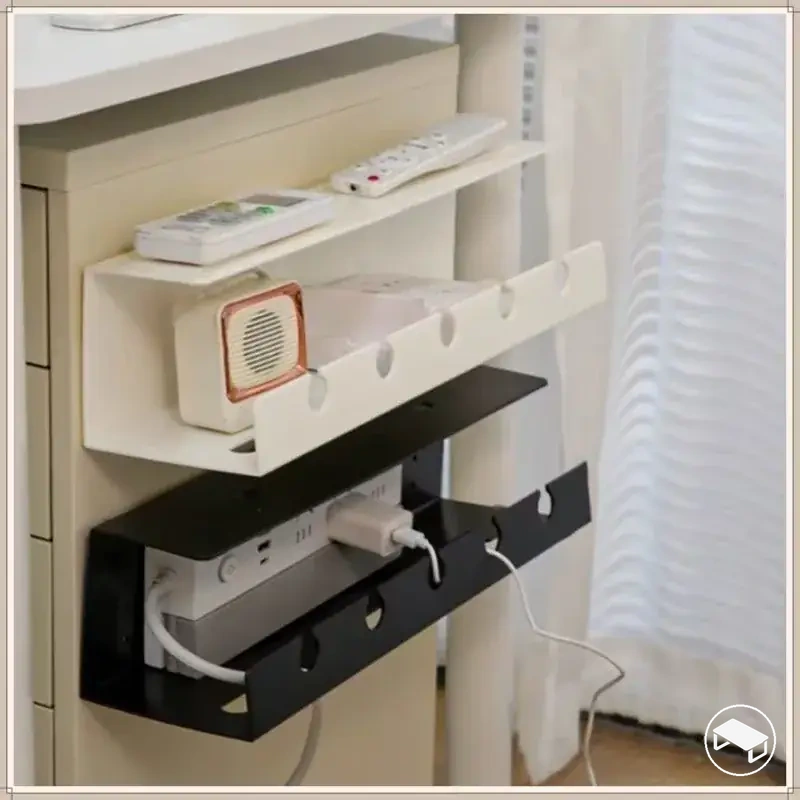
Use these product examples only after the mounting position passes the compatibility checks above; compare each relevant listing’s mounting method, clamp range, stated load limit, and desk-clearance requirements with your measured setup.
If a required compatibility value is not stated for a product, treat that point as unverified rather than assuming it fits.